
this feature is available located in block 18 vendo
this feature is available located in block 18 vendo
GLOBE / TOUCH MOBILE / TALK N TEXT
how to order simcard just goto our online shopping store.
click this lin to redirect our store MY ACCESS https://v2.peddlr.io/store/myaccess-281126
add to cart and fill the information and payment
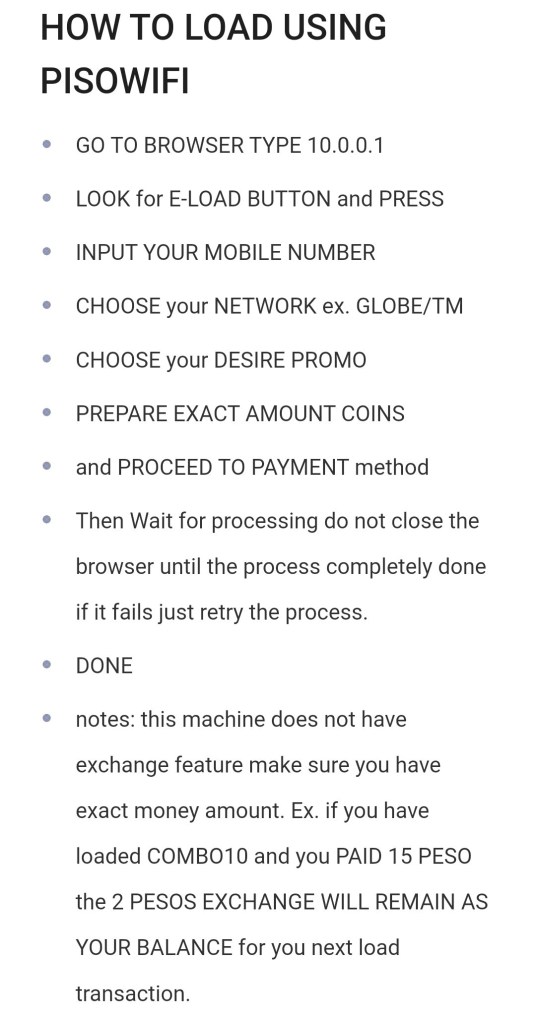
1 => goto the portal; [ how to open portal just open chrome or any browser and type 10.0.0.1 if you are located in block-32 just type in the address 20.0.0.1] then press the >>>>LOAD-TM/GLOBE/TNT<<<< button.
2 => then just input your mobile number.
3 => choose promo or input the amount.
4 => then just proceed to payment method just prepare for exact amount.
5 => then insert coin by proceeding to on payment, and wait for the processing.
6 => and wait before closing the process.
available voucher is located in Main PisoWIFI Block-18 Lot-19
5d100 is 5days continues time and 2 weeks validation expiration upon activation of the promo.
make sure your coin is exactly a total of P100. Ex. 10coins x10 or 5coins x20.
go back to Portal in B-18
go back to Portal in B-32
Open your chrome Type the address [ 10.0.0.1 ] depends on your area if you are located at PisoWIFI B32 the address is [ 20.0.0.1 ]
then find the pause button.
Ex.
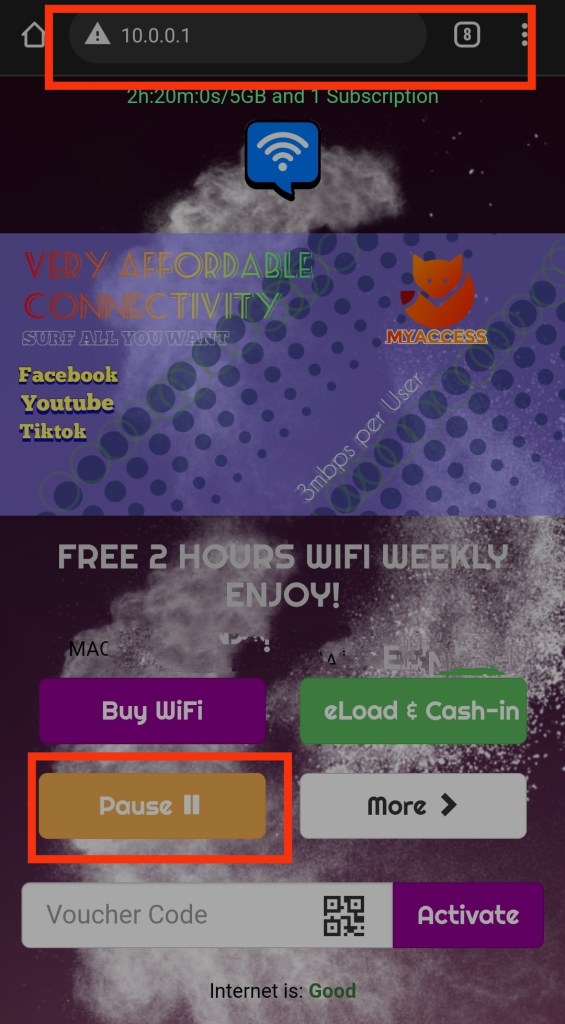
then your able to turn off the wifi
note: every session has limit to pause as follows
P1 = 3 PAUSE
P5 = 7 PAUSE
P10 = 15 PAUSE
P20 = 25 PAUSE
and so on.
Good day everyone please check our online store
we had variants of products might you like.
just click the link below

 MyAccess